Fellow e-commerce enthusiasts will surely recognise this frustration: spotting a superb product video on Alibaba that you'd love to save for reference, only to discover there's no “Save As” option when you right-click!
Does this mean resorting to screen recording with your mobile? Absolutely not! Screen recordings yield blurry footage, riddled with background noise and obstructed by buttons.
Today, I'll share a method to download the original high-definition video without watermarks in just one minute.
Simply install a small browser extension called MeowLoad. Click the link below to install it.
Chrome browser extension installation : https://chromewebstore.google.com/detail/meowload-videoliveaudioim/gnplpcfnikehohdgnfnfcienljcbaogj
Edge browser extension installation : https://microsoftedge.microsoft.com/addons/detail/meowload-videoliveaud/mfmeocjfdcmipdcebfdgpncpmcddmech
Installation Guide : How to install the MeowLoad browser extension?
🔔OK, let's see how to proceed.
🟠Step 1 : After installing the plugin, click its icon and it will automatically detect videos available for download.
🟠Step 2 : Clicking the third icon in the bottom-left corner will display the downloadable list as a sidebar.
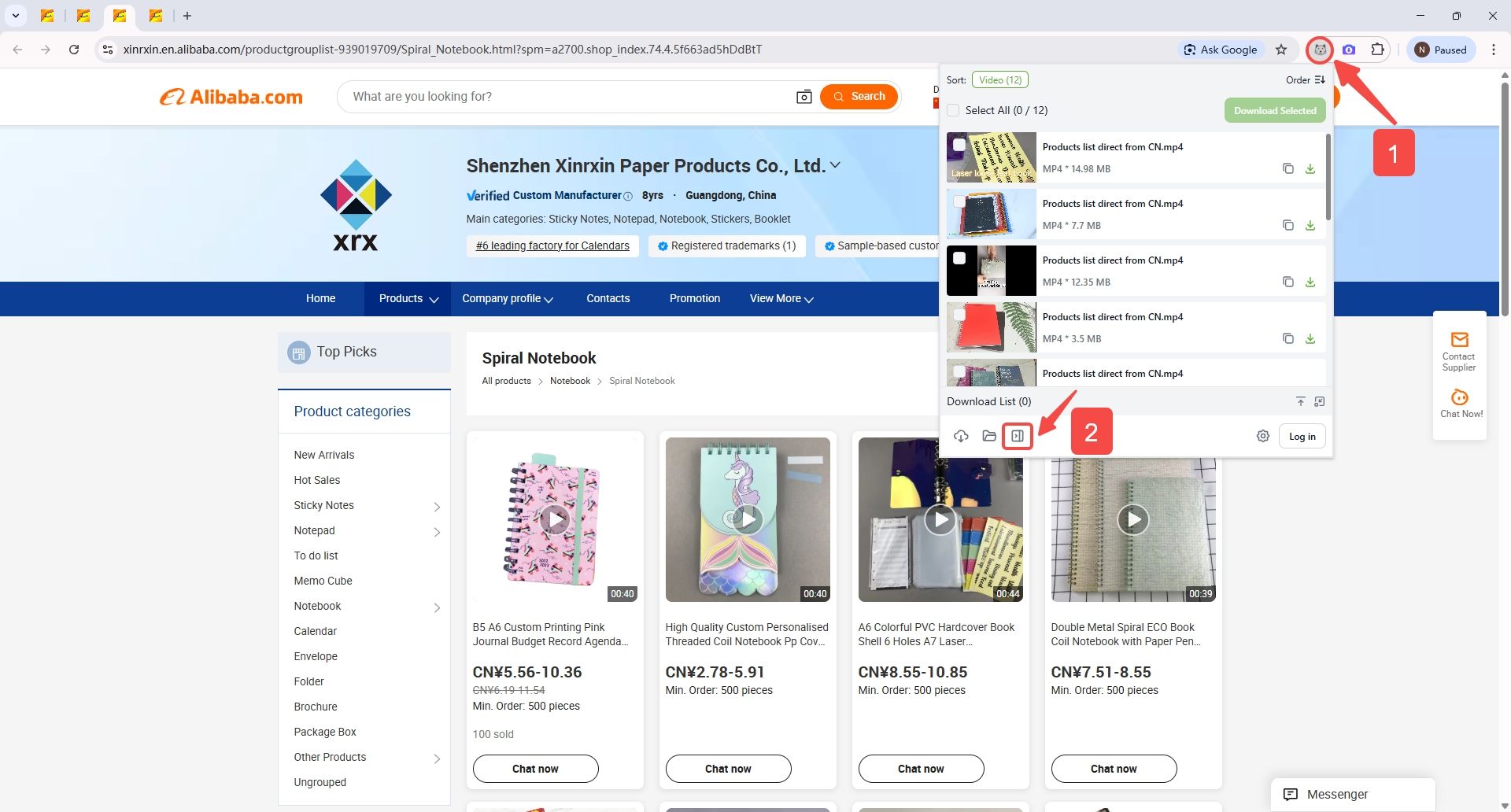
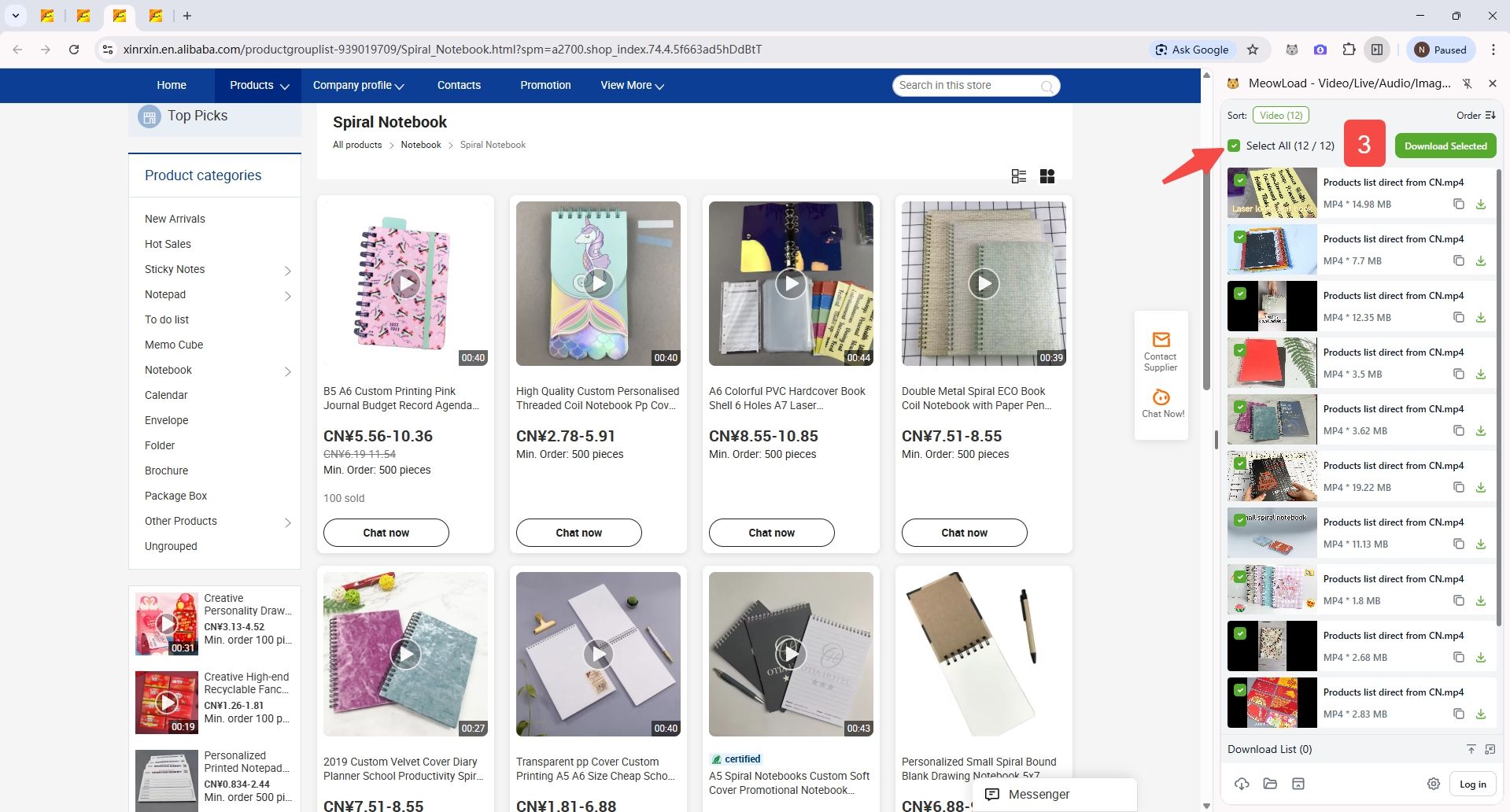
🟠Step 3 : Select the video you require and click to download.
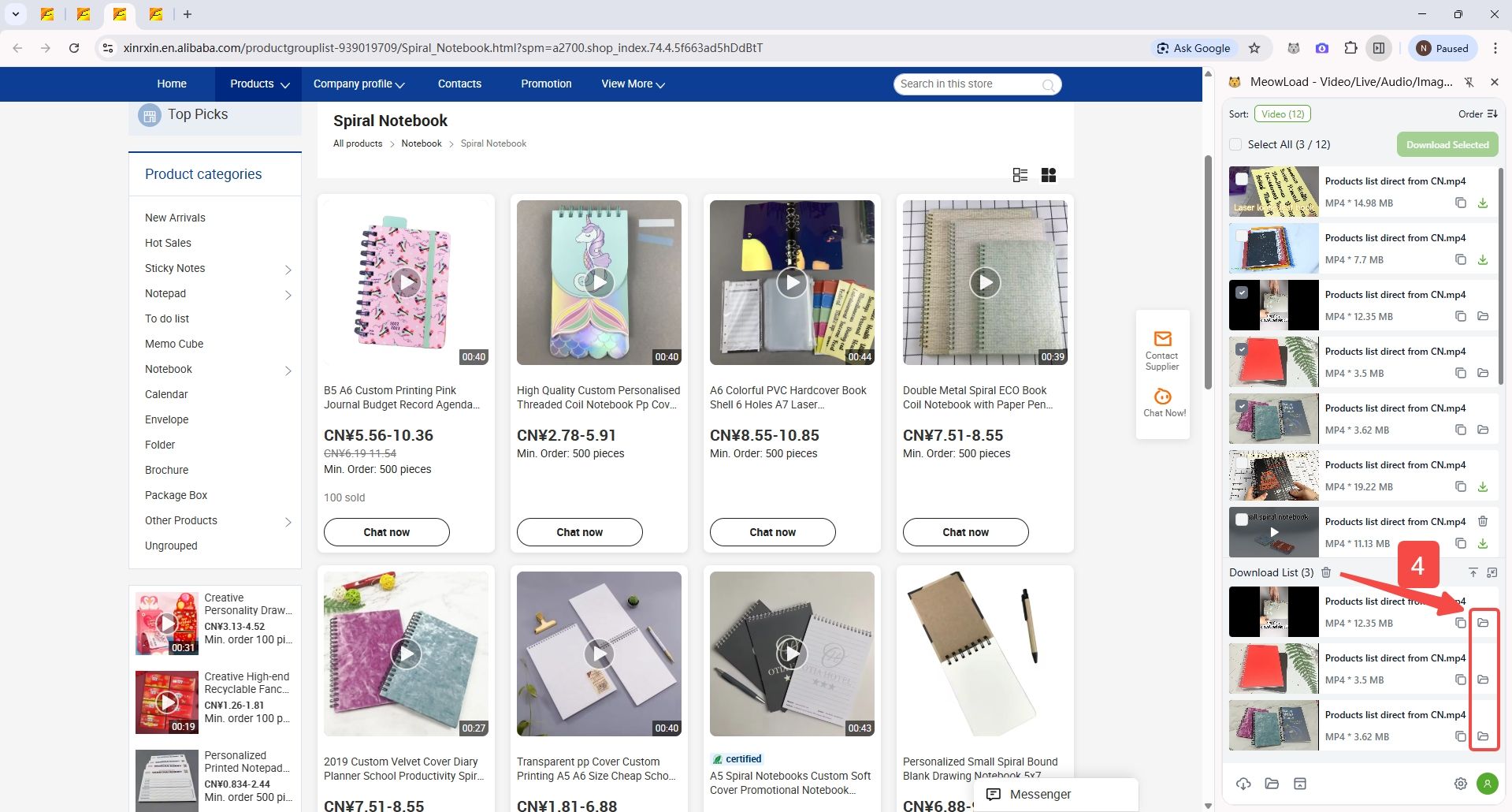
🟠Step 4 : Once the download is complete, click the folder icon to view the video you have just saved.
And that's it done—quite simple, isn't it?